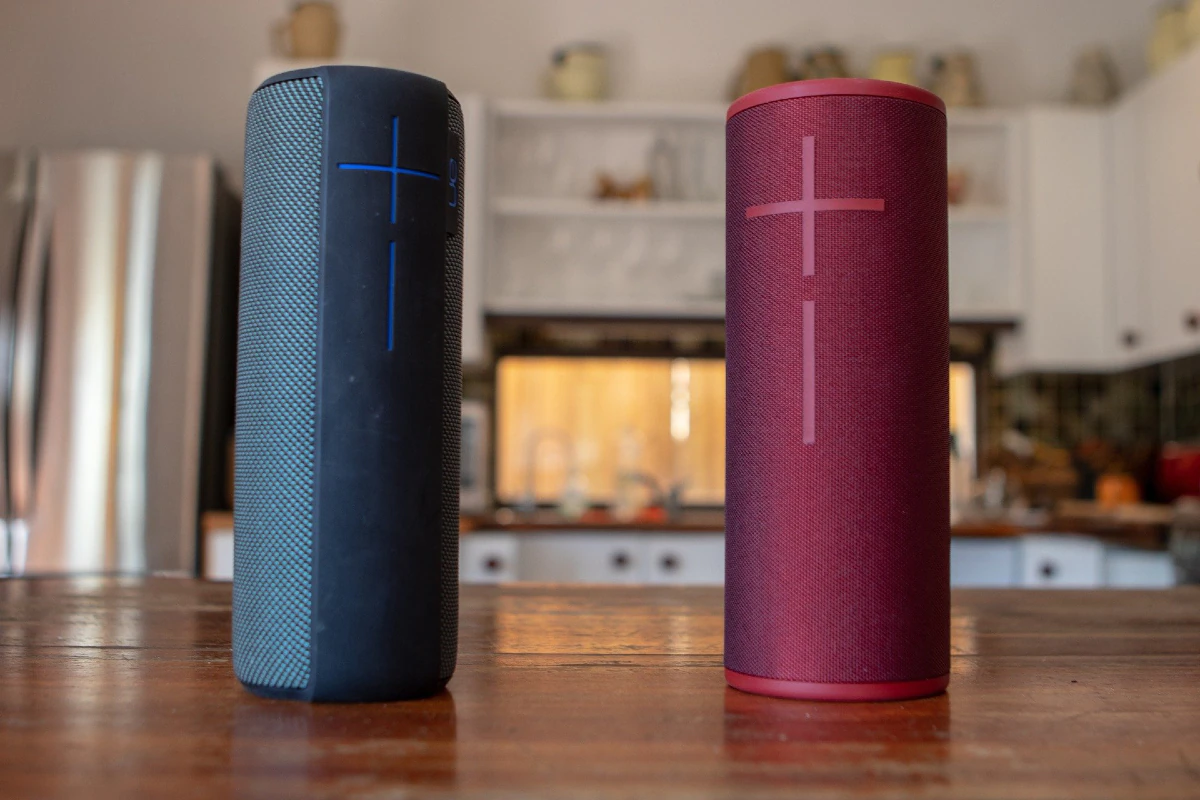
Bluetooth speakers have revolutionized the way we experience sound, offering portability and wireless convenience. While a single Bluetooth speaker can provide impressive audio, pairing multiple speakers can take your listening experience to the next level. Whether you’re hosting a party, creating a surround sound system, or filling your home with music, using multiple Bluetooth speakers allows you to amplify and distribute sound like never before.
Here’s a comprehensive guide on how to use multiple Bluetooth speakers for an incredible audio setup.
Using multiple Bluetooth speakers offers several advantages:
- Enhanced Audio Quality: Distribute sound evenly across a space to eliminate dead zones.
- Stereo Sound: Pairing two speakers can create a true stereo effect, with distinct left and right audio channels.
- Increased Volume: Amplify sound to suit larger spaces or outdoor environments.
- Versatility: Position speakers in different rooms or areas for a multi-room listening experience.
These benefits make multiple Bluetooth speakers an excellent choice for parties, home theaters, or immersive music sessions.
Many Bluetooth speaker brands, such as JBL, Bose, and Sony, offer apps that allow you to pair multiple speakers.
Cons: Requires compatible speakers from the same brand.
Download the manufacturer’s app (e.g., JBL Connect+, Bose Connect, Sony Music Center).
Follow the app’s instructions to link your speakers.
Configure the speakers for stereo mode or party mode, depending on your needs.
Pros: Easy setup, optimized sound quality.
Bluetooth 5.0 supports dual audio, allowing you to connect two Bluetooth devices to a single source.
Cons: Limited to two speakers, device compatibility required.
Ensure your device (smartphone, tablet, or computer) supports Bluetooth 5.0.
Pair the first speaker with your device.
Pair the second speaker using your device’s Bluetooth settings.
Play audio, and it will stream to both speakers simultaneously.
Pros: No additional apps required, compatible with different speaker brands.
Here’s a comprehensive guide on how to use multiple Bluetooth speakers for an incredible audio setup.
If your device or speakers lack native support for multiple connections, third-party solutions like AmpMe or Bluetooth splitters can help.
Cons: Potential audio lag or reduced sound quality.
This app syncs audio playback across multiple devices and speakers.
Works with any Bluetooth speaker but requires multiple smartphones or tablets.
Hardware devices that allow you to connect multiple Bluetooth speakers to a single audio source.
Pros: Expands compatibility.

Once you’ve chosen your pairing method, it’s time to set up your system for optimal sound. Follow these steps:
- For stereo sound: Place the speakers on opposite sides of the room, angled toward the listening area.
- For party mode: Distribute speakers evenly throughout the space to ensure balanced audio coverage.
- Play audio and walk around the space to identify any dead zones or imbalances.
- Adjust the speaker positions or volume levels as needed.
- Ensure all speakers are synced correctly to avoid audio lag.
- Use the app or device settings to fine-tune the audio output.
Invest in speakers known for their sound clarity and durability. Popular options include:
Sony SRS series
JBL Flip or Charge series
Bose SoundLink series


 No products in the cart.